
WSB-TV News
Cox Media Group Inc.News & Magazines
4.51.88K Reviews
- Version
- Varies With Device
- Installs
- 100.00K
- Age Rating
- Everyone 10+
Screenshots

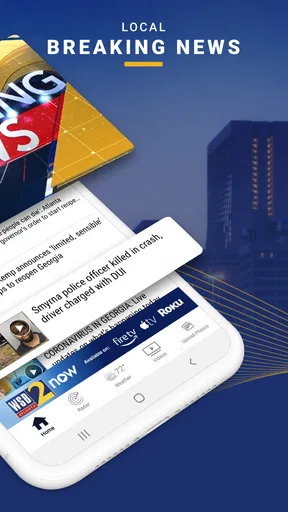
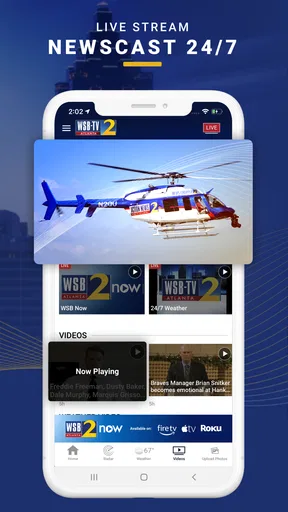
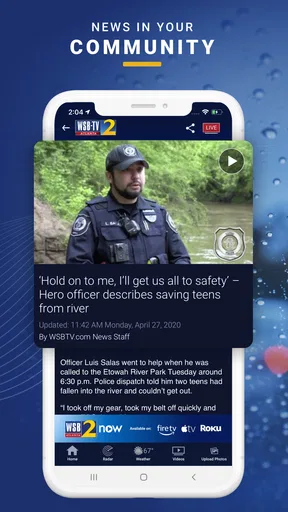
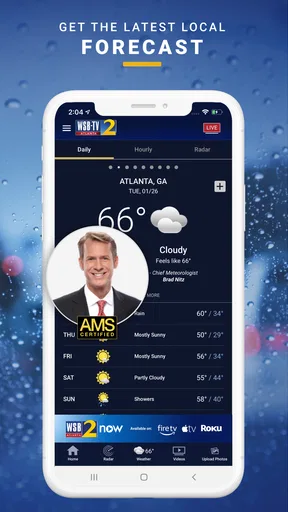

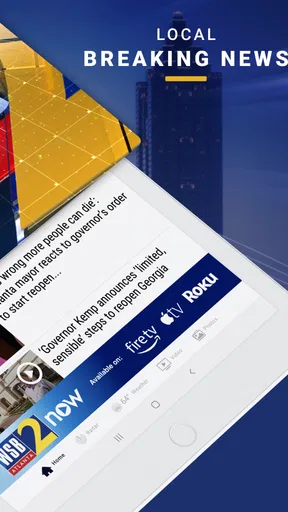
Our Review of WSB-TV News
 Analysis by Appyee
When I want a quick picture of what is happening around Atlanta, I prefer a local news app that gets to the point instead of making me dig through a national feed. WSB-TV News is built for that purpose, bringing together local reporting, weather, traffic, and related coverage in one mobile experience. I found it most useful as a practical daily check-in: something to open before leaving home, during a weather change, or when a local story is developing.
This is a free News & Magazines app from Cox Media Group Inc., rated for Everyone 10+. It has been available since April 23, 2014, and its audience has grown to over one hundred thousand installs. The average score sits at 4.5 from around 5.7 thousand ratings, with roughly 1.9 thousand written reviews. Those figures suggest a well-established local-news option rather than a brand-new experiment, and my experience supports that impression.
How I use WSB-TV News during a normal Atlanta day
My baseline workflow is simple. I open the app once in the morning to check the main local headlines, then move to weather if I am planning a commute or outdoor activity. If traffic is the immediate concern, I go straight there rather than reading the entire news feed first. That separation matters because the app is more useful when I treat each area as a different tool instead of expecting one endless stream to answer every question.
The local focus is the strongest reason to keep it installed. National news apps are good for broad context, but they often bury neighborhood-level developments beneath stories from everywhere else. WSB-TV News feels more relevant when the question is specifically about Atlanta-area conditions, local events, severe weather, road problems, or a story unfolding nearby. I would not use it as my only source for international or national coverage, but that is not where it earns its place.
A realistic example is a weekday morning with uncertain weather. I check the news section for any major local disruption, review the forecast before choosing what to wear, and then look at traffic before deciding whether to leave earlier. That sequence takes less effort than opening separate national, weather, and traffic tools. It also gives me a better local frame of reference, because the information is presented around the same metro area rather than as disconnected services.
Another useful habit is opening the app when a familiar local story starts appearing in conversations or social feeds. Social posts may provide speed, but they can be incomplete or overly dramatic. A local newsroom gives me a more organized place to check what is actually being reported. I still use judgment, especially during a fast-moving event, but the app is a calmer starting point than trying to assemble facts from scattered posts.
The first setup I would make
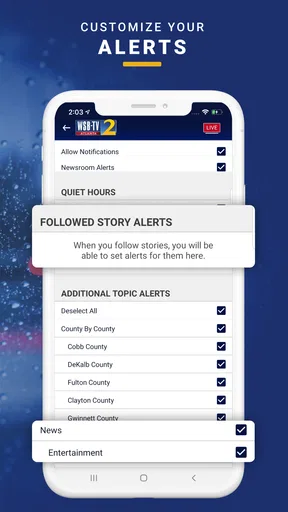
On the first run, I would take a minute to decide how much interruption I really want. News apps can become annoying when every update feels urgent, so I prefer to keep alerts limited to information that could change my plans or deserves immediate attention. If the app presents notification choices, I would review them rather than accepting every option automatically. That small decision makes daily use feel intentional instead of noisy.
I would also spend a short session exploring the main sections before relying on the app. The value is not only in the headline screen. Weather and traffic are the areas I am most likely to need quickly, so knowing where they are in advance saves time when I am already in a hurry. This is one of those apps where familiarity with the layout is more useful than trying to read everything it offers.
For readers who are wondering whether the app is suitable for children, the listed age guidance is Everyone 10+. I would still treat it as a general news product rather than a child-focused reading environment. News coverage can include serious subjects, emergencies, crime, and upsetting events even when an app is broadly accessible. Families should use their own judgment about when and how younger users browse it.
Settings that deserve a closer look
The most important settings are the ones that control attention. I would review notification behavior first, especially if I already receive alerts from a television station, a weather service, or a phone’s built-in news panel. Duplicate alerts are easy to create, and they do not make information arrive faster in any meaningful way. Choosing one primary alert source for urgent local updates can make the whole phone feel less cluttered.
Next, I would check whether the app’s location-related options match my routine. Someone who lives in the Atlanta area may want local conditions readily available, while a visitor may only need the app temporarily. I prefer to understand which information is being used for local relevance rather than leaving every setting untouched. The right choice depends on whether I want a fixed local view or a more travel-oriented habit.
It is also worth checking how video and image-heavy stories behave on a mobile connection. Local news often combines written reporting with visual material, and that can affect data use or loading time. When I am commuting, I favor text-first reading and save richer content for a reliable connection. This is not a criticism of the app specifically; it is a practical trade-off for anyone using a news application away from home.
Accessibility settings on the phone can make a meaningful difference here. Larger text, stronger contrast, or screen-reader support may help readers who find dense news layouts tiring. I would adjust the device before deciding that the app is difficult to read. A local news app is most useful when I can scan it comfortably, especially during a hurried morning or while checking several updates in succession.
Faster patterns for repeat users
Experienced use comes from building a repeatable path rather than endlessly browsing. My preferred pattern is headline scan, weather check, traffic check, then one deeper read. The first pass tells me whether anything affects the day; the second pass gives context to the story that matters most. This keeps the app from turning a two-minute check into an unplanned half-hour session.
I also separate “need to know now” from “interesting to read later.” A traffic problem or weather warning may influence an immediate decision, while a feature or developing local story can wait. Making that distinction mentally helps me avoid opening every item simply because it appears near the top of the feed. The app works better as a decision aid when I use it with a purpose.
When I find a story that affects someone else in my household, I summarize the relevant point instead of forwarding an entire stream of updates. For example, I might check whether a road issue changes a route, then share that practical conclusion. This is faster and less confusing than passing along several partially related headlines. The app’s local focus makes that kind of household coordination especially useful.
For weather-sensitive days, I would check at two different moments rather than relying on one glance. Conditions and local reporting can change, and a morning view may not answer an afternoon question. The important insight is not to treat the weather section as a permanent guarantee. I use it to support a decision, then check again when the decision itself is closer.
Traffic deserves the same discipline. I would look before leaving, not while driving, and I would avoid using a news app as an excuse to interact with the phone on the road. A quick pre-trip check is a sensible workflow; trying to follow a developing traffic story behind the wheel is not. If navigation is the immediate need, a dedicated navigation app is usually the better tool once the journey begins.
Where the app is stronger than usual alternatives
Compared with a broad national news application, WSB-TV News has a clearer local purpose. A national feed may offer more international analysis, business coverage, or political context, but it can be less efficient when I only want to know what is affecting Atlanta. The local app reduces that search burden. I open it with a specific regional question and usually begin closer to the answer.
Compared with a social-media feed, it offers a more deliberate reading environment. Social platforms can surface eyewitness information quickly, but they also mix rumor, commentary, advertising, and unrelated material. A local news app is not a substitute for independent judgment, yet it gives me a more structured starting point. I especially prefer that structure when a storm, accident, or public-safety story is generating a lot of speculation.
Compared with a dedicated weather app, its weather tools are convenient but not necessarily the reason I would choose it. A specialist weather service may be better for detailed forecasting, radar work, or people who monitor conditions closely. I use WSB-TV News when I want weather in the same place as local reporting and traffic. That convenience is valuable for ordinary planning, even if enthusiasts may want a more specialized instrument.
Traffic is similar. A dedicated navigation service is generally the stronger choice for turn-by-turn routing and live route changes. WSB-TV News is more useful for the local-news angle: understanding why a disruption matters, seeing it alongside other regional developments, or checking conditions before opening navigation. Knowing that distinction prevents disappointment and helps me use each app for what it does best.
Limits that become clearer with regular use
The local focus is also the main limitation. If I want a complete picture of the wider world, this is not enough on its own. I would pair it with a broader news source rather than expecting one Atlanta-centered app to cover every subject with equal depth. Readers who rarely need regional information may find a general news reader more efficient because it gathers several interests in one place.
There is also a difference between checking an update and studying a complex issue. A mobile news app is excellent for awareness and quick context, but a complicated political, legal, or public-policy story may require longer reading from several reputable sources. I appreciate WSB-TV News most when I use it as a first stop and then slow down when the subject deserves more scrutiny.
Notification fatigue can become a real problem if settings are left on without thought. Local news is valuable precisely because it is close to home, but that closeness can make every alert feel personally urgent. I would rather receive fewer meaningful interruptions than train myself to dismiss everything. This is a habit issue as much as a software issue, but the app’s usefulness depends heavily on how carefully I manage it.
Another trade-off is attention during breaking coverage. A developing story may change several times, and an early report can naturally be less complete than a later one. I avoid drawing firm conclusions from a single alert. Instead, I return to the story after some time, read the fuller version, and compare the wording with what I already know. That approach is slower than reacting instantly, but it is more responsible.
Readers who want a highly personalized, multi-city news dashboard may also prefer a different product. This app makes sense when Atlanta-area relevance is central. If I were moving between several regions or following local news in many states, I would look for an app designed around multiple locations. The narrower focus is a strength for residents and a possible inconvenience for travelers.
Who will get the most from it
I would recommend WSB-TV News to Atlanta-area residents who want one practical place for local headlines, weather, and traffic. It suits commuters, households planning around changing conditions, and people who want a regional source without sorting through a national feed. It is also useful for former residents who still care about what is happening locally, provided Atlanta remains the area they want to follow.
It is a good fit for someone who checks news in short sessions. The app does not need to become a full reading destination. A morning scan, a pre-trip traffic check, and an evening look at major developments can be enough. That lightweight routine is more sustainable than trying to consume every update throughout the day.
I would be more cautious recommending it to readers who want deep national analysis, a specialized weather workstation, or navigation that actively guides every trip. Those needs point toward other tools. The app can complement them, but it should not be forced into roles it was not designed to fill.
My verdict after making it part of a routine
WSB-TV News succeeds because it stays close to a clear everyday need: understanding what is happening around Atlanta and how it may affect the next few hours. I like the combination of local reporting, weather, and traffic because it supports real decisions rather than just passive scrolling. Its free price removes the main barrier to trying it, and the mature presence of Cox Media Group Inc. gives the app a recognizable local-news identity.
The best results come from using it deliberately. I would tune notifications, learn the quickest path to weather and traffic, check conditions before leaving, and treat developing stories as updates rather than final answers. Those habits make the experience faster and reduce the common problems of alert overload and distracted browsing.
My final recommendation is positive, with a clear boundary: choose it as an Atlanta-focused daily companion, not as your only source for every kind of news. For local awareness, short planning checks, and regional context, it earns a place on my phone. For worldwide coverage, detailed forecasting, or navigation, I would keep the usual specialist alternatives nearby. Used in that balanced way, WSB-TV News is a practical and dependable part of a local information routine.
Verdict
Strengths of WSB-TV News
- Live local news, weather, and traffic updates in one app.
- Breaking-news alerts help users stay informed throughout the day.
- Video reports provide useful context beyond short headlines.
- Covers communities and events across the WSB-TV viewing area.
- Weather tools are helpful during severe storms and changing conditions.
Limitations of WSB-TV News
- Some stories may be limited to viewers in the station’s coverage area.
- Frequent notifications can feel excessive unless alert settings are adjusted.
- Video playback may use substantial mobile data on cellular connections.
- Advertising can interrupt browsing and video viewing.
- Some content may require patience to load on slower connections.
Other Releases by Cox Media Group Inc.
View All
Action News Jax
News & Magazines4.3

Boston 25 News
News & Magazines4.2

95.5 WSB
News & Magazines4.1

102.5 The Bone: Real Raw Radio
News & Magazines3.3
Similar Picks in This Category
View All
Google News - Daily Headlines
Google LLC4.0

X
X Corp.4.8

Flipboard:Your Social Magazine
Flipboard3.4

Opera News: breaking & local
Opera4.5

Hindi News by Dainik Bhaskar
Dainik Bhaskar Group4.0

Way2News Daily News App
Way2News ( Formerly Way2SMS )4.6
Frequently Asked Questions
What is WSB-TV News, and what can I use it for?
WSB-TV News is a local news application focused primarily on Atlanta and the surrounding Georgia communities. After installing it, users can browse breaking news, local reports, weather updates, traffic information, sports coverage, videos, and other regional stories. It is designed for people who want quick access to updates from the WSB-TV newsroom without relying only on television broadcasts or a desktop browser.
Does the WSB-TV News app provide live news and weather coverage?
The app may provide live video streams, breaking-news coverage, severe-weather information, forecasts, radar features, and alerts, depending on your location, device, internet connection, and current programming rights. Availability can change during major events or scheduled broadcasts. Users should also remember that live streaming usually requires a stable connection and may consume considerable mobile data, especially when watched over cellular networks.
Can I receive breaking-news, weather, and traffic notifications?
Yes, WSB-TV News generally supports push notifications for important local developments, severe weather, traffic disruptions, school or community information, and other urgent updates. During setup, you can usually allow or decline notifications, and device settings may let you customize them later. Keeping alerts enabled can be useful during storms, although frequent notifications may not suit users who prefer a quieter phone experience.
Is the WSB-TV News app free to download and use?
The application is generally free to download and offers access to a range of news stories, weather information, videos, and local updates without an upfront purchase. However, mobile data charges may apply when using cellular internet, particularly for video or live streams. Some content can also include advertising, and availability of certain features may vary by region, platform, or broadcaster agreements.
What should I check if WSB-TV News is not working correctly?
If the app does not load stories, videos, maps, or alerts properly, first check your internet connection and confirm that the application is updated through the official Android or iOS store. Restarting the app or device can also help. If location-based weather or traffic features are inaccurate, review location permissions. Persistent problems may require reinstalling the app or contacting WSB-TV support.
